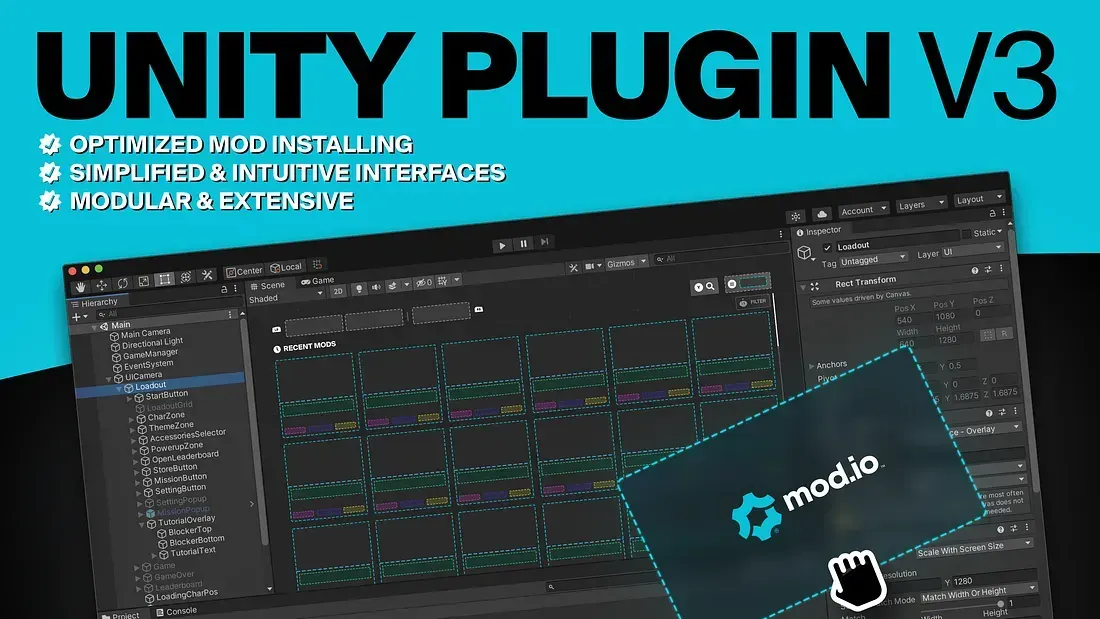
Unity Plugin - Version 3
Hey! I’m
Murphy, and I’ve been given the keys to the mod.io blog to write about the release of a new version of our Unity plugin! The work we do in our Game Services team is all about making it as easy and smooth as possible to integrate UGC/mod support into your game. This new version of the Unity plugin is a major release for our team, and a significant step forward in our support for Unity games. And as the Unity Studio Engagement Engineer in charge, I get to be the one telling you everything about it! — but really it’s been an incredible collective effort from our whole team!
We’ve got a bunch of new improvements, and you can get all the details of what the Unity plugin does in our updated documentation, or directly into our GitHub repository. Our Unity plugin includes solutions to connect your game to mod.io, automate the downloading and installation of mods, easily build a custom UGC browsing interface using our Template UI, and even enable our marketplace functionalities for UGC monetization. Some highlights of the latest improvements with Version 3, just below.
Optimized Mod Installing
One major opportunity for optimizing the plugin we found was in mod downloads & installations. Previously we were doing a lot of work writing the download to a temporary location, unzipping it to a second temporary location and then moving the unzipped files to their destination. We had the idea to pipe the download stream into the extraction stream into the write stream, directly to its destination.
This new innovation under the hood greatly reduced the amount of file writes needed to install a mod and the transformations through piping the streams is near instant, greatly improving the speed of installs while also reducing their resource consumption!
Simplified and Intuitive Interfaces
We’ve designed the plugin from the ground-up with Unity paradigms in mind. Where once the plugin was built around read-only snapshots of data, the new interface uses an actively maintained cache of mutable data that gets updated as new data is received. This makes interacting with it far simpler and you can be confident the data is all up to date!
We’ve made other innovations with tools such as the Mod Builder. This tool greatly simplifies the process of creating and uploading mods, handling all individual requests that need to be made to fully publish a mod. It’s streamlined nature makes it incredibly intuitive to build tools using it, helping developers create a better Creator experience for their game’s community!
var builder = Mod.Create();

builder.SetName("My Really Cool Mod")
       .SetSummary("This Mod is awesome! You should get it!")
       .SetLogo(logo, ImageFormat.Png)
       .EditModfile()
       .SetSourceDirectoryPath(path)
       .FinishModfile();

(Error error, Mod mod) = await builder.Publish();
Highly Modular and Extensible, Designed to be Customized
Thanks to the Services system, most core functionality can be overridden as independent modules, allowing developers to easily and cleanly modify the plugin’s behaviour and implementations. This especially benefits platform implementation, with decoupled interfaces giving you complete freedom to implement services to suit your needs (if the defaults don’t!).
Better Settings
Settings have been broken up to marry up with the modular design spoken about above. There’s the core settings that the plugin can’t function without, but the Platform Settings is the really cool part! Check out the image below:
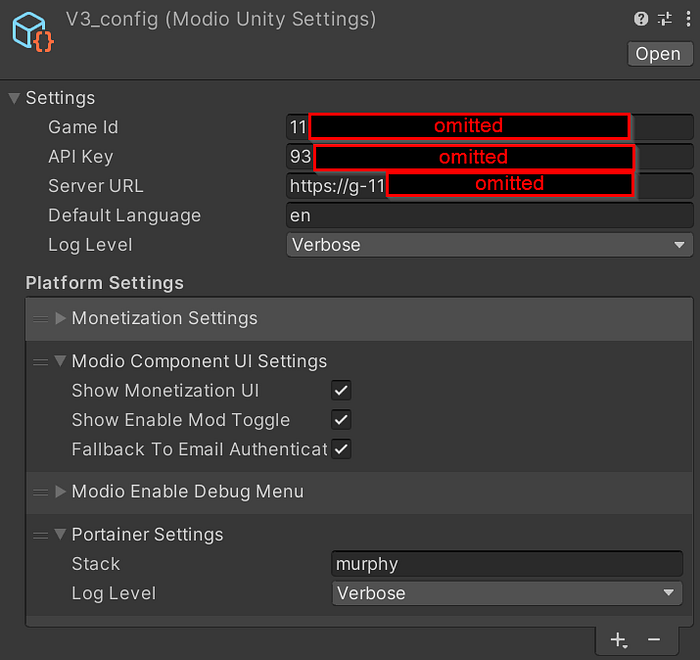
As you can see, the configuration is split up into different setting components. The different modules of the plugin will check if their applicable setting component is available, and react accordingly. For example, without the Monetization Settings as above, all the Monetization features will disable themselves accordingly!
Advanced Debugging Menu
Included with the plugin is an advanced debug menu which can modify the plugin state and even produce dummy errors so you can see how the plugin and your implementation reacts. This is dynamically built off of the modules bound in the Services system, meaning you shouldn’t have to do anything for this menu to work. Simply add the setting ‘Modio Enable Debug Menu’ and it should appear like so:
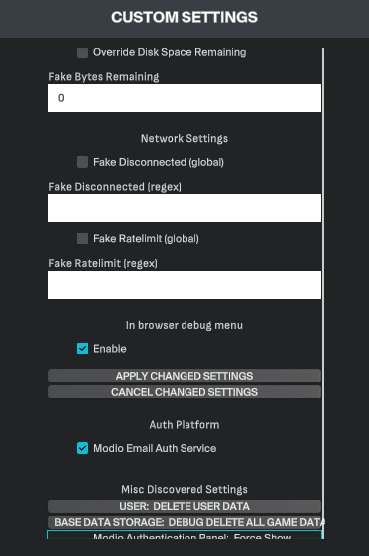
Everything about this version has been built from the ground-up with your integration experience in mind. We want to facilitate the smoothest integration possible whilst providing useful tools so you and your creators can hit the ground running!
If you have questions about this update, or more broadly about mod.io Unity support, you can usually find me on mod.io Discord server. And if you want to discuss how mod.io can support your game, you can always reach out.