Dev Update: Documentation, World Filter, Unity UI Themes
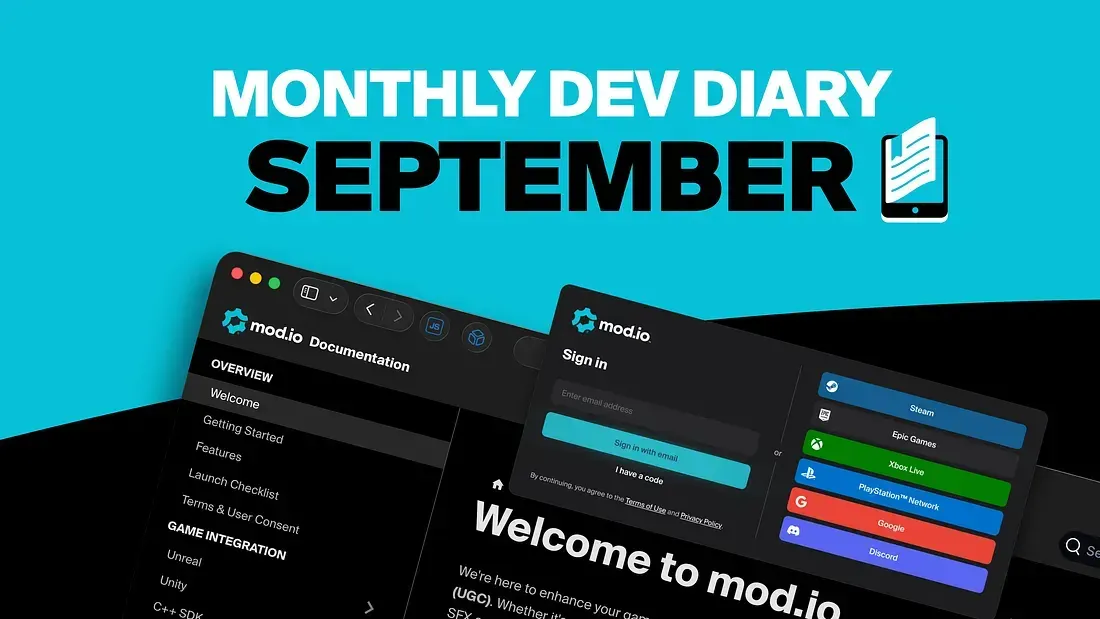
Our latest Dev Diary covers some of the work we’ve been doing over the past summer (even if it was winter in Australia, where most of the mod.io team resides).
Accelerating the ease with which studios can integrate and launch UGC relies heavily on our SDKs and underlying documentation, providing clear examples and best-practice recommendations. In our most recent update, we’ve focused significantly on the latter and rolled out major improvements to our documentation.
We also deployed a new and improved word filter system, a better SSO login interface for all of the platforms we support, a theme system for our Unity plugin’s TemplateUI, and work is progressing fast on our dedicated servers solution.
As always, you can find the latest in our changelog on Discord or by keeping up with our GitHub repositories and documentation.
New mod.io Documentation
Adam Scoble, Head of Game Services
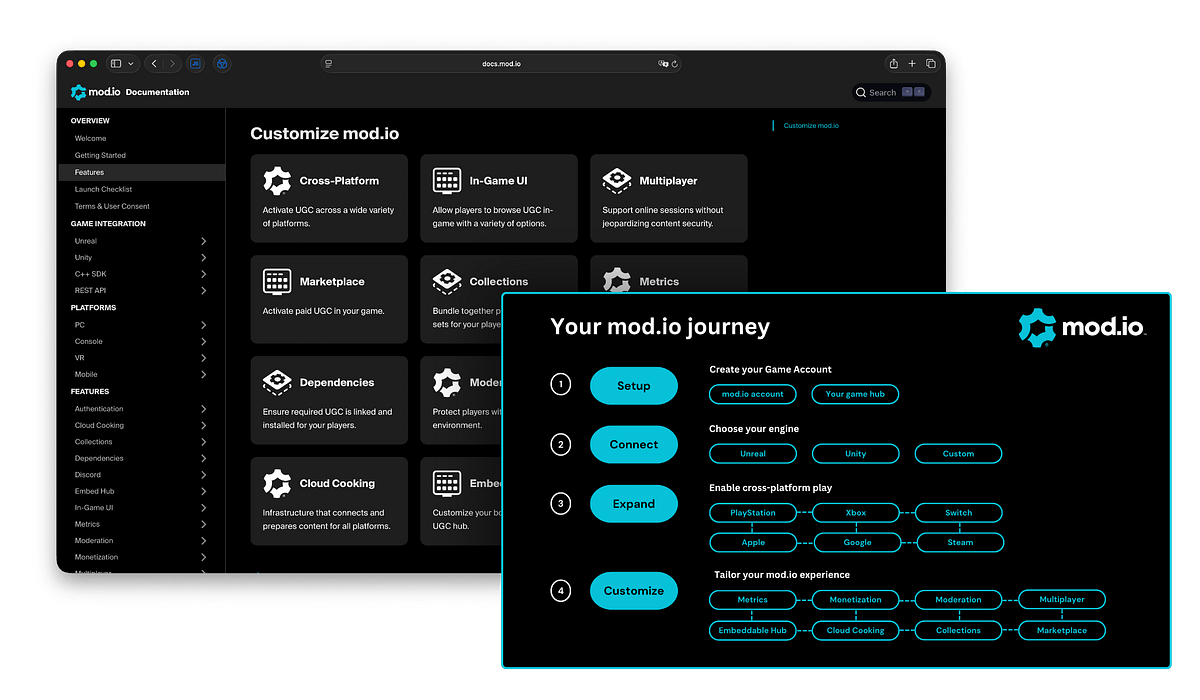
We’ve just rolled out a major update to our documentation on docs.mod.io, which has been entirely refreshed and restructured for an improved user experience. This includes a more considered and cohesive user journey, removal or streamlining of noise, rewriting and refinement of much of the content, and increased interlinking/referencing between pages and features.
This work was conducted by Alex Saccardo, who consulted for us over the past couple of months. We’re super happy with the results and will keep enriching it moving forward!
API Documentation upgrade
Josh Radics, Backend Engineer
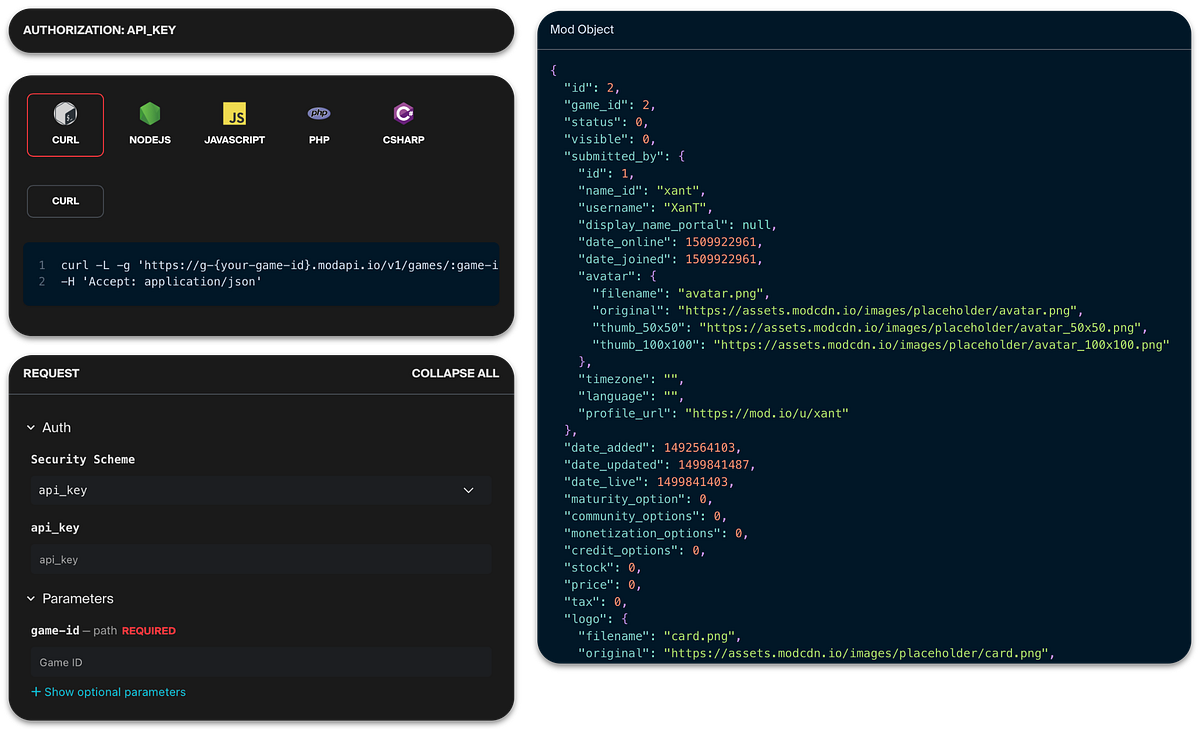
On top of the overarching documentation work mentioned above, we worked on upgrading the mod.io API documentation from the older OpenAPI 2.0 (Swagger) specification to the newer OpenAPI 3.0. This allows us to use the same internal documentation for all parts of mod.io!
Refactoring about 7 years of Swagger definitions presented a range of undocumented challenges. Over time, specifications often accumulate inconsistencies, outdated patterns, and workarounds that were never intended to scale. The differences between the two versions, such as how request bodies, parameters, and content types are handled, pushed my regular expression skills to the limit.
For customers, this means clearer descriptions of endpoints and better handling of complex request and response schemas. Upgrading the mod.io API documentation to OpenAPI 3 and enhancing it with custom vendor extensions significantly improves both the developer experience and the API’s overall usability.
The move to OpenAPI 3 enables clearer, more structured documentation with support for complex schemas and reusable definitions, making it easier and faster for developers to integrate. Custom extensions, such as displaying available sort parameters and domain-specific error codes, provide quick guidance that reduces guesswork and improves the integration experience
For the business, this means a better developer experience that translates directly to saved time and the ability to use all the modern features of OpenAPI.
This work was deployed last month. You can find the updated mod.io REST API here. From there, we have further enhancements we can look at in the future, such as making the docs more interactive, performing wide-scale audits on the descriptions and content, and generally improving the view and usability of the platform overall. But for now, this has been a big step forward for us.
Words Filter Improvements
Nwakego Isika, Backend Engineer
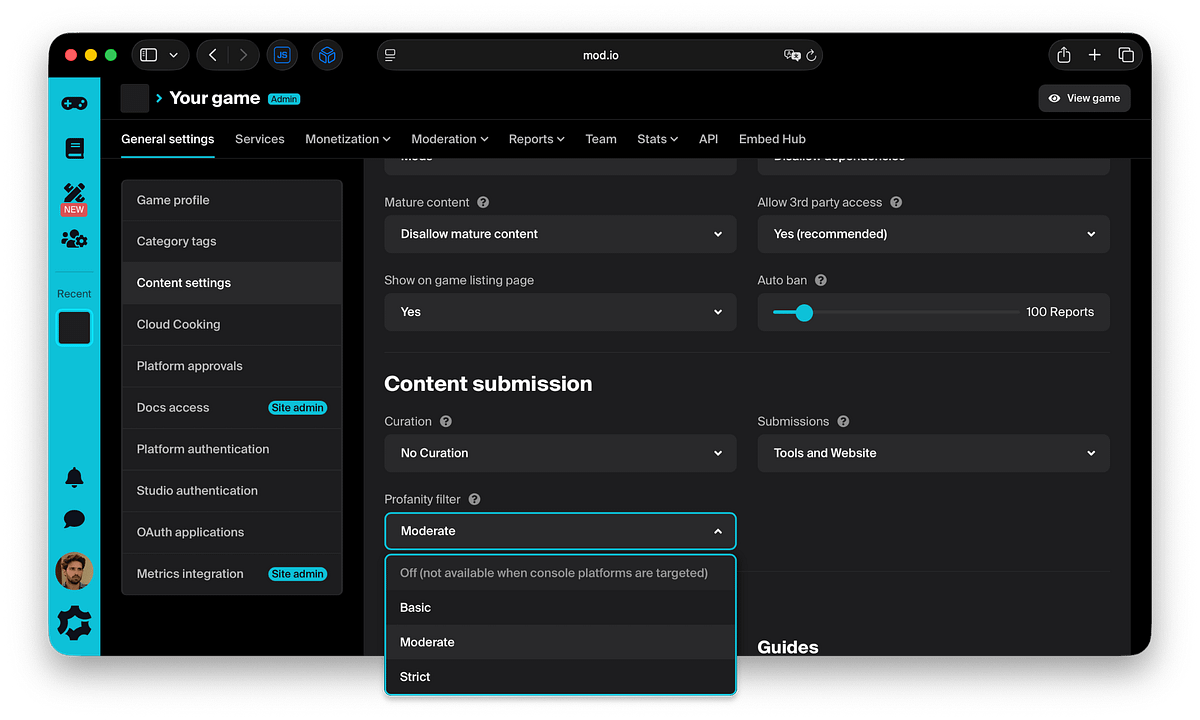
The words filter is an enhancement to our existing text moderation systems, designed to better detect and mask profanities found in mods, collections, guides (name, description, summaries), and comments. It’s been deployed on mod.io and can be accessed in-game admin dashboards.
Games now have the option to select from: no filtering, basic, moderate, or strict filtering options to keep text content associated with their games profanity-free. The words filter scans through text on mods, guides, collections, and comments to detect profane words and replace them. It provides game-scoped content moderation to safeguard and prevent the use of profane or inappropriate words.
This offers games a new moderation option to keep content associated with their brand compliant. We’re putting control of the level of profane words allowed into the hands of game admins. They can self-select between settings to determine what levels of profanity they allow. Through the Allow and Deny lists, they have an additional level of fine-grained control to allow or deny specific words based on their context.
By providing these options, we’re actively supporting games’ compliance with different platform and console rules and content standards, ensuring we can all continue to provide our awesome services to our end users.
Powering Seamless UGC on Dedicated Servers: Dedicated Server Framework
Nicholas Ferrar, Engineer (Unreal Engine)
We’re thrilled to talk more about mod.io’s Dedicated Server Framework, which we originally mentioned in our Dev Diaries back in May, a game-changing solution that makes supporting user-generated content (UGC) on dedicated (headless) servers more streamlined and developer-friendly than ever before.
This new framework standardizes key systems like authentication, UGC syncing, and premium content management, giving studios the confidence and tools they need to deliver rich, customizable multiplayer experiences. With feedback from multiple studios already influencing its evolution, the framework is shaping up to meet both current and future needs.
From day one, we prioritised a smooth developer experience. Our initial authentication flow, built around OAuth tokens generated by server owners, was implemented and integrated flawlessly into our internal host project. A huge shoutout goes to my colleagues Dewald and Corey, whose exceptional work on our ActionRPG demo game multiplayer systems and dedicated server builds helped bring this to life.
With the framework in action, UGC propagation between the server and clients is seamless. Synchronization and acquisition are smooth, reliable, and perform just as expected. We’ve ensured strong separation between server-side and client-side content, reducing friction and maintaining a clean, consistent experience for all players, while also prioritizing security for the servers themselves by not allowing client content to be installed by default.
As premium UGC gains traction, we’ve taken extra steps to give studios greater control and security over content distribution. Following valuable conversations with partners, we’ve enhanced our ownership validation mechanisms to ensure only legitimately owned content makes it into the game environment, even in the most complex multiplayer scenarios.
While this adds some extra validation overhead for larger-scale titles, we’ve already mapped out optimizations that keep things efficient and scalable, and many of these enhancements were already on our long-term roadmap.
With the core framework solid and studio feedback validating our direction, what remains is mostly polish: continuous integration, testing (both automated and manual), comprehensive documentation, and support for community-run servers. As more studios express interest in bringing UGC to their multiplayer experiences, we’re confident this framework will be adopted quickly!
Cooking up a Unity Theme System
Murphy Morgan, Engineer (Unity)
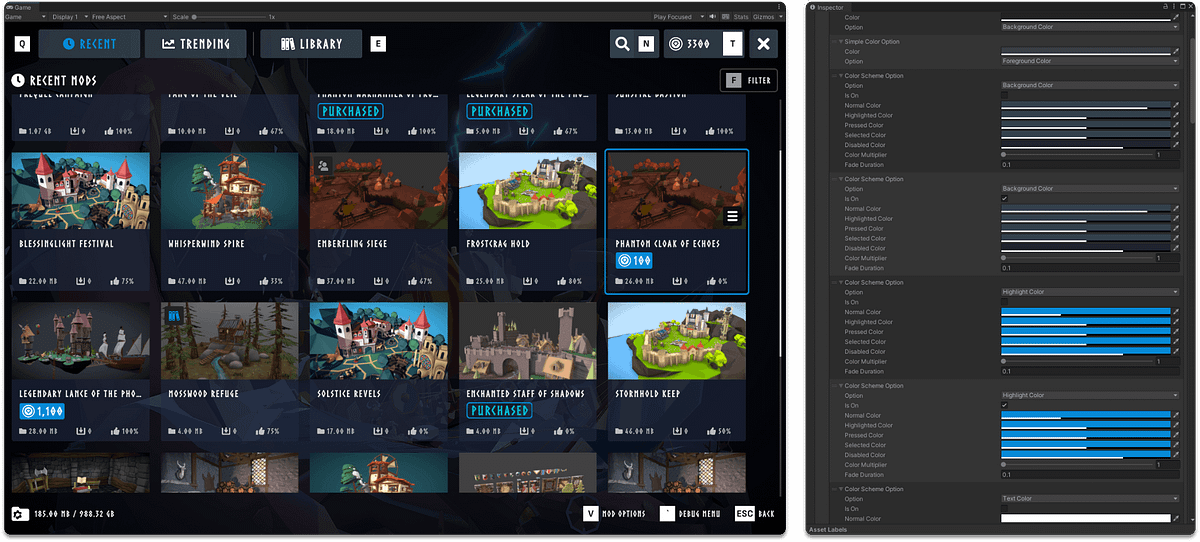
Our developer partners have frequently asked for an easy and convenient way to style our TemplateUI without tussling with the prefabs, so we hopped in the kitchen and started cooking!
With our knowledge of the UI system (which we, after all, made), we quickly had a pretty solid idea of what we wanted to do. We tried at first with a very simple method of assigning a simple color scheme that gets used by everything and a simple font setter, but we quickly found the nuances of the UI far more unwieldy for such a simple implementation. So we cooked a little bit more, and my colleague Ellie had the great idea of borrowing a page out of CSS.
Alongside these options, we added targets, which can extend other targets. The theme system will go down the chain of targets and apply styling in reverse order, so Button Primary Action would extend Button, which extends Default, applying the styles like Default > Button > Button Primary Action.
This afforded us a great deal of flexibility that allowed us to capture all the more nuanced design decisions of the UI and customize even further! Alongside some more options for font styling and sizes, we were able to recreate the modern Template UI look and some more completely!
Login Interface Enhancement
Travis Wheeler, Frontend Engineer
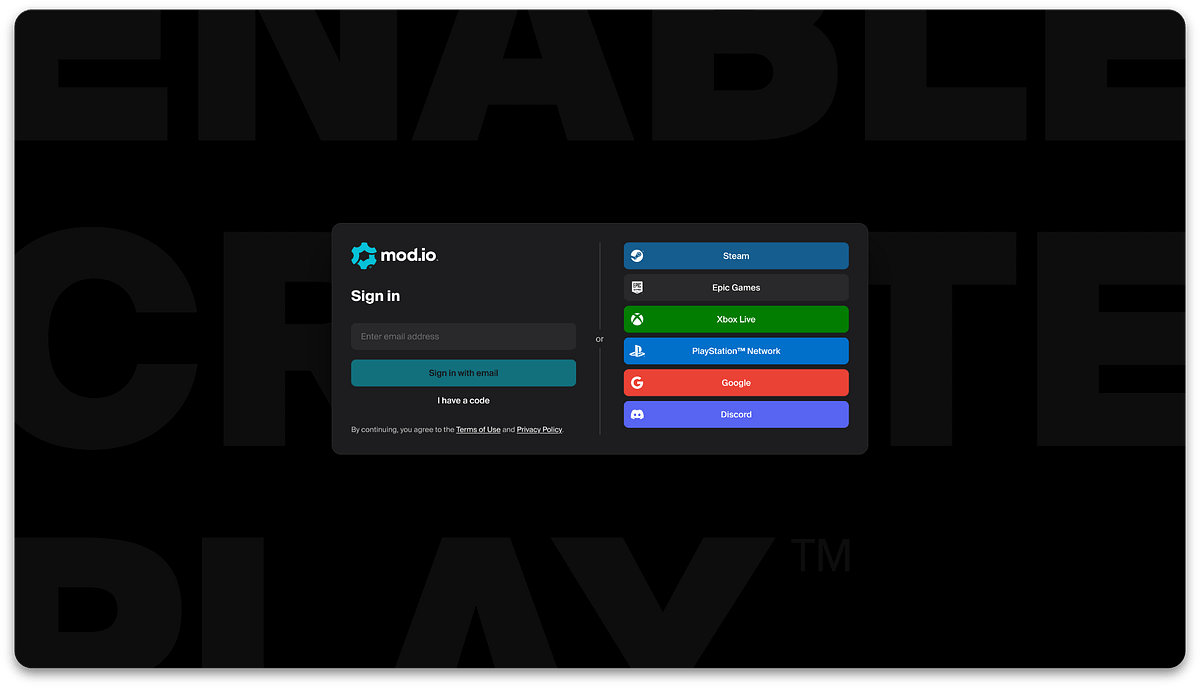
We’ve refreshed the website login UI and flow, incorporating excellent design enhancements from Mario Djuhadi, our UI/UX designer. The login experience for our dedicated login page, login modal, SSO login modal (for game pages), and the authorization flow for external partners now feature a visually updated interface with improved UX and styling.
These updates deliver a more premium, polished, and consistent experience for all users, in particular for partners leveraging mod.io as a supported authentication method.
This redesign also enables greater use of shared components across our various login flows, streamlining our implementation and ensuring a cohesive look and feel for login flows across the site. We’ll be porting these improvements to the embeddable hub to maintain a consistent experience across both of our web products.